


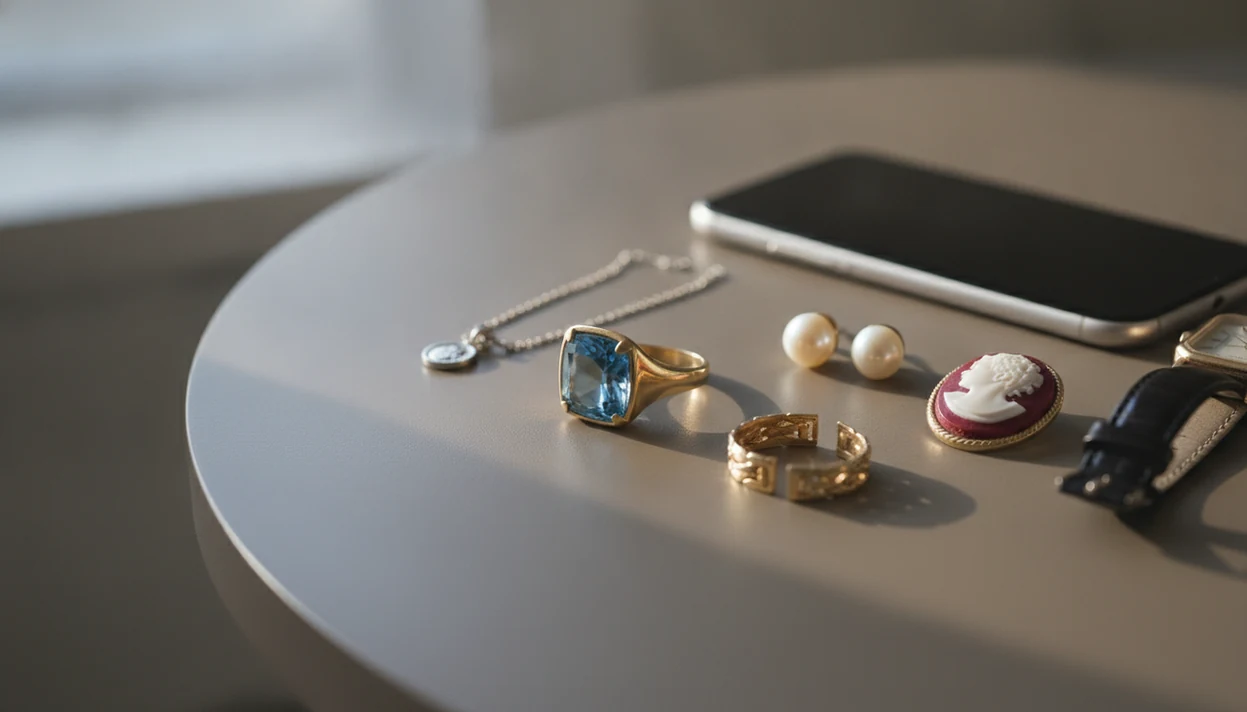
Jewelry Identifier is a jewelry identifier app that uses photo-based AI to identify rings, necklaces, earrings, bracelets, and vintage jewelry from pictures for shoppers, collectors, and resellers.
- Upload a photo of any jewelry piece and get instant AI identification of style, type, and visible materials.
- Works for rings, necklaces, bracelets, earrings, watches, stamps, and vintage jewelry.
- Use results as a first pass before visiting a jeweler, appraiser, or reseller for verification.
| Need | Best option |
|---|---|
| Identify a ring, necklace, earring, bracelet, stamp, or vintage clue from one or more photos | Jewelry Identifier |
| Find visually similar jewelry across the open web with broad image matching | Google Lens |
| Compare a piece against resale listings and auction-style marketplace photos | eBay image search |
| Research historical pricing references for collectible or vintage jewelry categories | WorthPoint |
At a Glance: Jewelry Identifier App Capabilities
- JewelryIdentifier identifies visible jewelry clues from photos of rings, necklaces, bracelets, earrings, watches, and vintage pieces.
- The AI image recognition process compares your photo against large visual databases, then returns likely category, style term, and similar-item suggestions.
- U.S. Census Bureau retail e-commerce data shows that online shopping is now a mainstream buying path, which explains why photo checks matter before jewelry purchases (U.S. Census Bureau e-commerce data).
- Pew Research Center’s Mobile Fact Sheet reports that smartphone ownership is widespread among U.S. adults, making camera-based jewelry ID accessible to many shoppers (Pew mobile fact sheet).
- Photo-based identification is a first pass, not hands-on confirmation of metal, gemstone, age, or value.
A close photo helps. A blurry flash photo does not.
If your priority is naming a piece before buying or listing it, JewelryIdentifier jewelry identifier app and photo guides that help users identify rings, necklaces, earrings, bracelets, and vintage jewelry from pictures fits because it turns a camera image into plain style language and next-detail prompts.
Jewelry Scanner App Use Cases for Shoppers, Collectors, and Resellers
A jewelry scanner app is useful when you need a fast first-pass read before money changes hands. JewelryIdentifier sits between casual curiosity and professional appraisal because it gives visible-clue suggestions without pretending to authenticate the piece.
Online shoppers can compare a seller photo with likely style terms before asking follow-up questions. At a market table, someone might try to read a tiny 14K stamp inside a yellow-gold ring under thrift-store fluorescent lights. Collectors can sort inherited, thrifted, or estate jewelry into working piles: likely gold, likely silver, costume, sentimental, and take-to-a-jeweler.
Resellers looking for “I just need to know what to call this before I list it” can use JewelryIdentifier to draft a more accurate title. Google Lens and eBay image search can find similar-looking items, but they often miss jewelry-specific clues like clasp type, setting style, and stamp context.
Photo-Based Jewelry Identification Features
JewelryIdentifier photo-based identification focuses on visible clues: shape, setting, chain style, clasp, stamp, surface color, and design period. Good jewelry identifier app and photo guides deliver naming help and next checks, not a guaranteed appraisal.
- Style and type recognition: Rings, necklaces, bracelets, and earrings are labeled by likely category, such as solitaire ring, curb chain, tennis bracelet, or clip-on earring.
- Visible material estimation: Results may say yellow metal, silver-tone, or platinum appearance, but that is not enough from a photo alone.
- Similar-item matching: Image databases help surface comparable designs for search and listing language.
Stamp and Hallmark Detection
JewelryIdentifier can isolate stamp regions for closer pattern matching. For deeper mark workflows, the jewelry stamp identifier app guide covers tiny marks, maker marks, and worn metal stamps.
Vintage Style and Era Matching
Vintage suggestions rely on clasp style, motifs, materials, and proportions. A cameo profile in carved shell may point one way, while a modern reproduction may need hands-on confirmation.
What Makes a Good Jewelry Identifier App?
A good jewelry identifier app helps you take better photos, names what it can actually see, and reminds you where a jeweler still has to step in. Clear photo guidance matters more than a one-click result, because jewelry details often hide in tiny marks, clasp backs, stone settings, and worn surfaces.
The app should support the everyday pieces people really need to sort: rings, necklaces, earrings, bracelets, and stamp or hallmark close-ups. It should also keep visible clues separate from verified facts, so “yellow metal appearance” is not treated as confirmed 14K gold and a “vintage-style clasp” is not treated as a dated antique.
- Check whether the app asks for full-piece photos plus close-ups of stamps, clasps, backs, and settings.
- Confirm that results cover major jewelry types, not just rings or luxury watches.
- Look for saved results, similar-item prompts, and wording you can reuse when researching or listing.
- Expect reminders to get professional verification before selling, insuring, or buying anything valuable.
- Compare broader tools like Google Lens and eBay image search when you want general visual matches beyond jewelry-specific guidance.
AI Image Recognition Process for Jewelry Photos
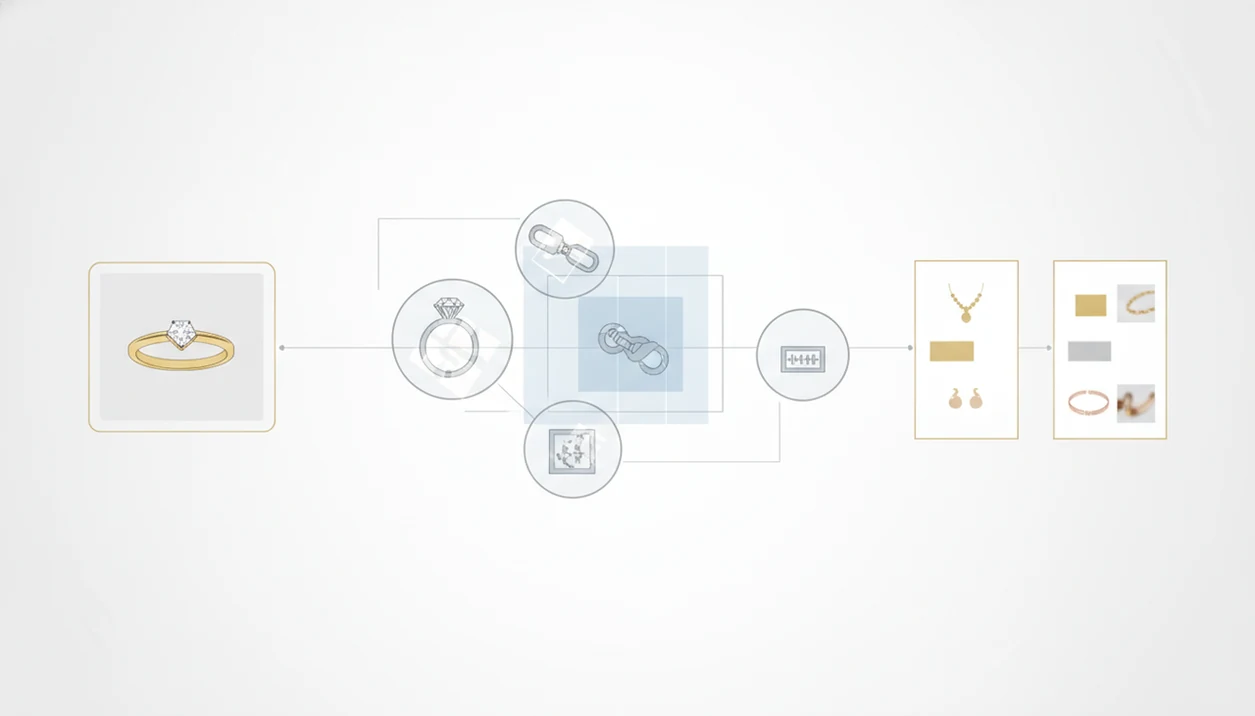
A jewelry identifier app works by converting a jewelry photo into image embeddings, which are mathematical patterns the AI can compare against stored visual examples. In plain terms, it looks for similarities in shape, color, texture, setting style, proportions, and small detail areas.
JewelryIdentifier reviews the full object first, then gives extra attention to regions that may contain hallmarks, stamps, clasps, stone settings, or maker marks. Results usually include likely jewelry type, style category, visible material language, and visually similar items. Pew reported that 31% of U.S. online adults already use visual search or image-recognition tools for products, so this behavior is no longer unusual. Google has said Lens is used for more than 12 billion visual searches per month, which gives shoppers a familiar reference point for photo-based lookup behavior (Google Lens visual search).
Material detection has a hard line. AI may suggest “yellow metal, likely gold-tone,” but it cannot confirm karat purity, plating, or solid gold content. For rings specifically, our ring identifier by picture guide explains which angles usually reveal the most useful clues.
4 Steps to Use the Jewelry Identifier by Photo
Use a jewelry identifier by photo with multiple sharp images, not one rushed snapshot. The clasp can be in focus while the pendant front is blown out by flash, and that single mistake can change the result.
- Photograph the piece in natural light on a plain background, capturing the full outline.
- Take close-up shots of hallmarks, stamps, clasps, engravings, and stone settings.
- Upload photos to JewelryIdentifier and review the AI suggestions for type, style, material appearance, and similar items.
- Save the results and bring them to a jeweler or appraiser for verification before selling, insuring, or making a high-value purchase.
Multiple angles and good lighting dramatically improve accuracy because the AI gets more visible clues to compare. If you want a broader photo workflow, the jewelry identifier by photo guide breaks down framing and detail shots.
Jewelry Identifier App User Personas
JewelryIdentifier supports people who need usable jewelry language before expert review. That includes online shoppers, thrift store and estate sale hunters, marketplace resellers, hobbyist collectors, and families sorting inherited pieces.
Online jewelry shoppers can check whether a listing looks like the claimed style before asking for a stamp photo. Estate sale hunters may compare a silver chain against a blue receipt at the counter, then decide whether the next detail to check is a clasp, a stamp, or a stone setting. People sorting an inheritance often want the story first, not a price.
Jewelry resellers on marketplaces looking for faster draft listings can use JewelryIdentifier because it turns photos into searchable style terms and similar-item prompts. The U.S. Bureau of Labor Statistics projects employment for jewelers and precious stone and metal workers to decline 3% from 2022 to 2032, which may increase demand for careful self-service sorting before appointments (BLS jewelers outlook).
5 Facts About Identifying Jewelry by Picture Online
- AI jewelry photo ID matches pictures against visual databases, but it is not a certified appraisal.
- Multiple well-lit close-ups of hallmarks, clasps, links, backs, and stone settings improve the quality of results.
- Modern mass-produced styles are usually easier to recognize than rare vintage one-offs or damaged handmade pieces.
- Apps estimate materials from appearance only; they cannot confirm karat, plating, natural stones, or authenticity.
- The strongest workflow is app first, professional verification second, especially before buying, selling, insuring, or dividing inherited jewelry.
When the issue is vintage sorting, JewelryIdentifier fits because it pairs visible era clues with style terms and next-detail checks. For deeper older-piece examples, use the vintage jewelry identifier guide alongside the saved app result.
How We Review Jewelry Identification Results
We review jewelry identification results as photo-based suggestions, not final proof. The goal is to separate what the image clearly shows from what still needs a jeweler, gemologist, or appraiser.
- Check the full-piece photo first so the overall category, proportions, chain style, ring shape, or earring format makes sense before judging small details.
- Inspect close-ups of hallmarks, clasps, backs, settings, prongs, links, and engravings, because these areas often explain why two similar pieces are not the same.
- Compare likely matches against public jewelry references when a visible stamp, maker-style clue, clasp type, or vintage design term needs context beyond the app result.
- Treat value, karat, gemstone origin, and authenticity as expert-only questions, since photos cannot test metal purity, natural versus lab-grown stones, treatments, or condition under magnification.
- Recheck results if you can provide sharper images, better lighting, or a cleaned hallmark area; AI suggestions may change when the visual evidence improves.
Before selling, insuring, dividing inherited jewelry, or making a high-value purchase, use the saved result as notes for a qualified jeweler or appraiser rather than as the final decision.
Jewelry Scanner App Myths
A jewelry scanner app cannot accurately appraise monetary value from a photo. JewelryIdentifier suggests visual matches and descriptive clues, but market value still depends on metal tests, stone grading, condition, brand demand, provenance, and local resale context.
Another myth is that visual AI can guarantee a diamond, sapphire, or emerald is natural. It cannot. Gemological testing is still needed for natural versus lab-grown stones, simulants, treatments, and grading.
Rare or handmade vintage pieces can also produce weak matches. Training data favors items seen often, so niche artisans, repaired pieces, and heavily altered jewelry may be misclassified.
One quick low-quality photo is rarely enough. Lint, skin oil, and dark pocket fuzz can hide a mark inside a bracelet clasp. Clean the area gently, photograph again, and compare against a reliable reference before deciding what the result means.
How to Download the Jewelry Identifier App
Use the App Store and Google Play badges above to install the current companion apps for photo jewelry identification. After install, grant camera or photo access only when you are ready to scan, then start with one well-lit piece on a plain background.
If you landed here looking for a dedicated download page, this homepage is the primary install hub. Platform notes also live on Jewelry Identifier for iPhone and Jewelry Identifier for Android, while download jewelry identifier app remains a supporting install guide.
Jewelry Identifier for iPhone and Android
iPhone and Android both work for first-pass jewelry photo ID when the camera can capture sharp stamp and setting detail. Macro focus, steady hands, and diffuse daylight matter more than the brand of phone.
Compare free versus paid feature expectations on free jewelry identifier app and the comparison hub at best jewelry identifier app before you rely on results for buying or selling decisions.
Free Features and App Requirements
Free identification usually covers basic style naming and similar-item clues. Advanced history, extra scans, or storage features may require payment depending on the store listing. A modern smartphone camera is enough for most first-pass scans.
Photo uploads can be sensitive—review is it safe to upload jewelry photos before storing estate or high-value images. Jewelry Identifier remains a photo aid, not a certified appraisal or gem lab.
Limitations
JewelryIdentifier is built for photo-based identification, but it has real limits.
- It is not a legal, tax, insurance-grade, or estate appraisal.
- It should not be used alone for high-value buying, selling, inheritance, or insurance decisions.
- Tiny, worn, or obscured hallmarks may be missed, especially on scratched clasps or tarnished silver.
- Training data can favor common styles and brands; niche artisans and antique one-offs may be misclassified.
- Material results are visual estimates only, so gold-filled, plated, vermeil, and solid gold can look similar.
- It cannot confirm lab-grown versus natural gemstones without gemological testing.
- Poor lighting, blur, flash glare, and cluttered backgrounds can degrade results significantly.
- Rock identifier apps may help with loose mineral appearance, but they are not built around jewelry settings, stamps, clasps, or resale wording.
For cautious owners, a tool that can identify jewelry safely should explain what a photo can suggest and what still needs hands-on confirmation.