


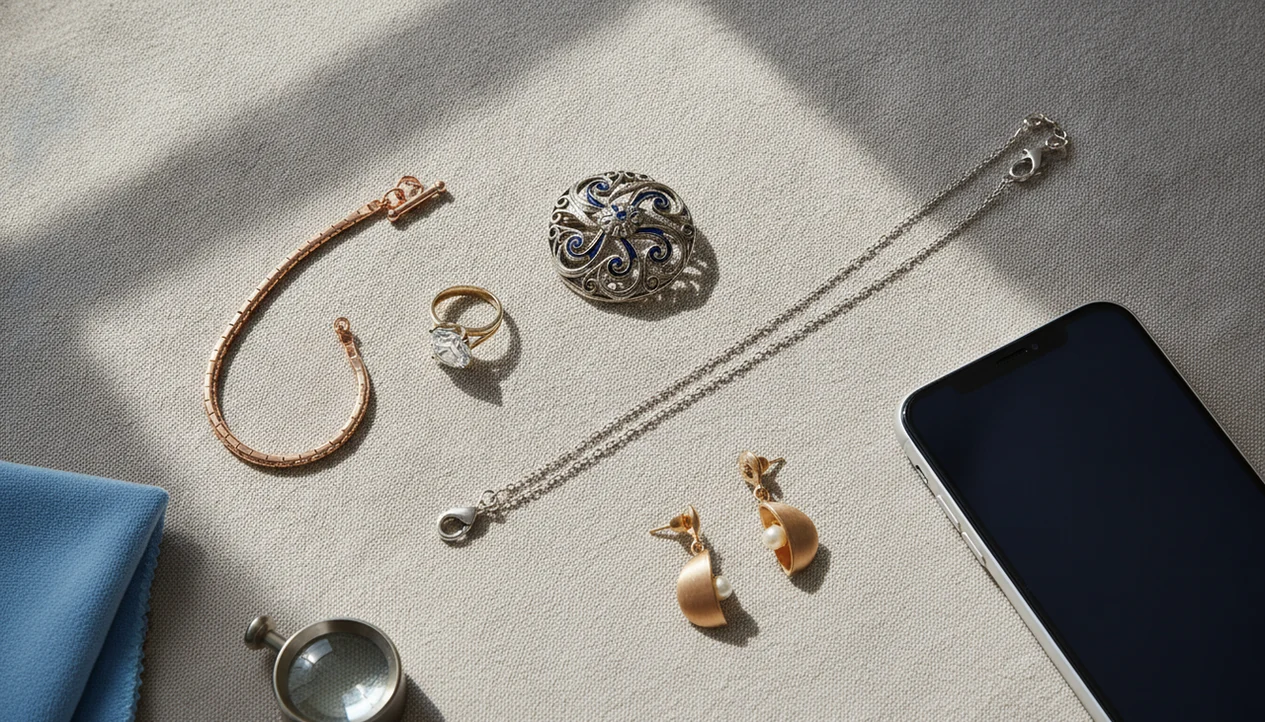
For users who want a dedicated jewelry identifier by photo, JewelryIdentifier helps turn pictures of rings, necklaces, earrings, bracelets, and vintage jewelry into likely item types, style terms, visible material clues, and next-step checks.
Definition: A jewelry identifier by photo is an AI-powered tool that compares an uploaded jewelry image against large visual databases to suggest the piece's type, style, era, and probable materials.
| Need | Best option |
|---|---|
| Identify a ring, necklace, bracelet, earring, or vintage piece from photos | Jewelry Identifier |
| Find broad visual matches across the open web | Google Lens |
| Compare resale listings and sold-item style matches | eBay image search |
| Confirm value, insurance details, authenticity, gemstone quality, or metal content | Professional appraiser or jeweler |
At a Glance: What a Jewelry Identifier By Photo Can and Cannot Do
A photo-based jewelry identifier can suggest what a piece is, what style it resembles, and which visible materials may be present. It cannot prove karat purity, gemstone authenticity, treatments, provenance, or resale value from an image alone.
The useful output is usually vocabulary: solitaire ring, curb chain, screw-back earring, Art Deco-style brooch, bezel-set glass, or likely gold-tone costume piece. That helps when you’re sorting cold metal on a kitchen table into likely gold, likely silver, costume, sentimental, and take-to-a-jeweler piles.
Many people have a reason to use these tools: Pew Research reported that 79% of U.S. adults own jewelry source, so the potential user base is broad. For a necklace-specific search, a find necklace by picture workflow can narrow chain type, pendant style, and clasp clues.
Photo ID is a first step before appraisal, not the final answer.
What JewelryIdentifier Does for Jewelry Identification By Photo
JewelryIdentifier helps with jewelry identification by photo by turning one or more uploaded images into likely item categories, style language, and visible clues to check next. It is built for the practical middle ground: learning what to call a piece before you search, list, sort, or ask a jeweler.
With clear photos, it can suggest whether you are looking at a ring, necklace, earring, bracelet, brooch, pendant, or related form, then surface useful terms such as solitaire, halo, rope chain, clip-on, hinged bangle, bar brooch, or prong setting. It can also point attention to details that often matter more than the front view: clasps, backs, hallmarks, engravings, stone settings, solder seams, and areas of wear.
- Upload a full-piece photo, then add close-ups of marks, clasps, settings, and backs.
- Review the likely type and style terms instead of treating the result as proof.
- Use the visible clues to improve marketplace listings, image searches, or family inventory notes.
- Ask better jeweler questions about metal testing, gemstone identity, brand authentication, or appraisal when the piece may have value.
The tool can organize evidence. Testing and authentication still require hands-on work.
5 Must-Know Facts About Jewelry Identification By Photo
- AI jewelry identification compares your image with large libraries of known jewelry styles, settings, materials, and visible maker marks.
- Multiple angles matter. A front photo may show the design, but the back, clasp, hinge, pinstem, or stamp often carries the better clue.
- Photo ID can suggest type, style period, and visible materials, but it does not provide lab-grade verification of metal or gemstones.
- Antique and vintage results are educated guesses. Worn marks, repaired clasps, and revival styles can confuse both software and people.
- High-value, branded, rare, or inherited pieces need hands-on confirmation from a qualified jeweler, gemologist, or appraiser.
We’ve seen phone photos where the clasp is sharp but the pendant front is blown out by flash. The app may still return a chain style, but the pendant’s stone, enamel, or surface wear may be unreadable.
JewelryIdentifier jewelry identifier app and photo guides that help users identify rings, necklaces, earrings, bracelets, and vintage jewelry from pictures are most useful when they give sorting language and next-step checks, not promises of authenticity or certified value.
AI Image Recognition Behind Jewelry Photo Identification
Jewelry photo identification works by extracting visible features from an uploaded image, then comparing those features with reference images. The system looks at shape, color, texture, stone setting, chain pattern, clasp form, and any readable metal stamp or maker mark.
In technical terms, the model creates image embeddings. In plain language, it turns the photo into a searchable visual fingerprint. A matching algorithm then ranks similar items and returns likely categories, eras, style terms, and probable materials. Some tools also cross-reference hallmark databases for maker marks, assay symbols, or date letters.
Tiny marks are stubborn.
A stamp photographed through a loupe can change the result from “gold ring” to “14K yellow-gold ring with maker mark.” Tools like JewelryIdentifier can help organize those clues before you compare against a reliable reference. The global online jewelry market is projected to keep growing as more buyers begin product discovery online source, and digital discovery tools are part of that shift.
For resellers, photo-based identification is often easier than generic web search because it starts with visible jewelry features rather than guessed keywords.
How to Use a Jewelry Identifier By Photo in 5 Steps
Use a jewelry identifier by photo by preparing the piece, photographing the details, uploading the clearest image, and checking the result against outside references. The back of the piece matters as much as the front.
- Clean the piece gently with a soft cloth, then place it on a plain, non-reflective background.
- Photograph the front, back, clasp, setting, and hallmarks in natural or diffused light.
- Upload the clearest image to the jewelry identifier tool, starting with the full-piece photo.
- Review the AI suggestions for item type, style term, possible era, and visible materials.
- Cross-reference the result with hallmark references, brand records, or a certified appraiser when the piece may be valuable.
Back-of-piece details are easy to skip. Don’t. A bracelet laid beside a coin may show scale, but the clasp interior may show the mark that actually matters.
If you’re comparing similar necklaces before listing, the find necklace by picture process can help separate rope chain, box chain, snake chain, and pendant style terms.
Photo Tips That Improve Jewelry Identification Accuracy
Better jewelry photos improve identification because AI tools need sharp, honest detail. Use natural or diffused light, a plain background, and close-ups of the places where makers hide useful information.
- Use window light or diffused indoor light. Avoid flash and direct sun because both create glare.
- Shoot on plain white, gray, or matte black backgrounds for contrast.
- Capture hallmarks, engravings, clasps, pinstems, hinges, earring backs, and bracelet interiors.
- Avoid filters, beauty modes, and heavy edits that shift metal color or erase patina.
- Use macro or portrait mode for tiny details, then check focus before uploading.
The thrift-store counter test is familiar: rhinestones glitter under ceiling glare, and a heavy bangle sits in your palm. That glare can make gold-tone plating look richer than it is.
For a single unknown piece, start with one clean whole-object photo, then add detail shots.
4 Common Myths About Jewelry Identifier By Photo Tools
Photo jewelry tools are useful, but several common claims go too far. Treat a visual match as a clue, not proof.
| Myth | Fact |
|---|---|
| Photo ID can prove a diamond or gemstone is real. | The Gemological Institute of America notes that many imitations require lab methods such as spectroscopy or microscopy, not visual inspection alone source. |
| AI can give accurate resale value from one photo. | Pricing needs weight, condition, brand, metal content, market demand, and sometimes paperwork. |
| A visual match to a luxury brand confirms authenticity. | Similarity does not prove provenance, authorized manufacture, or original parts. |
| One quick photo is enough. | Multiple angles and close-ups of marks, clasps, and settings are critical. |
The FTC found that about 14% of jewelry and precious metals complaints in 2021 involved quality misrepresentation source. That is why a confident-looking result still needs checking.
“I just need to know what to call this before I list it” is a reasonable goal. Certified authenticity is a different job.
Professional Jewelry Appraisal After Photo ID Results
Use professional appraisal after photo ID when the piece may be valuable, branded, rare, insured, inherited, or legally important. AI results can help you ask better questions, but appraisal documentation requires human inspection.
A simple decision path helps:
| If the photo result suggests... | Next step |
|---|---|
| Common costume jewelry | Use the style term for sorting or listing. |
| Precious metal stamp, gemstone, or known maker | Compare the mark and consider a jeweler visit. |
| Luxury brand similarity | Seek authentication, not just visual matching. |
| Estate, insurance, tax, or legal need | Request certified appraisal documentation. |
| Unclear or conflicting results | Bring the piece in for hands-on confirmation. |
Before uploading, check the tool’s privacy policy. Look for whether photos are stored, reused for training, shared, or deleted.
Apps such as JewelryIdentifier, Google Lens, and eBay image search can start the conversation. The appraiser finishes it with testing, measurements, and documentation.
JewelryIdentifier vs Google Lens, eBay Image Search, and Appraisal
JewelryIdentifier is the better fit when you want jewelry-specific language and clues; Google Lens and eBay image search are broader visual-match tools. For valuable, branded, inherited, or insured pieces, a certified appraiser is the safer next step.
Google Lens can be useful for quick lookalikes, but it may match shape, color, or sparkle without checking the jewelry details that matter: clasp type, setting style, hallmarks, wear, or construction. eBay image search helps when your goal is resale wording because it shows how similar sellers describe pieces, even if those listings are not proof of material, age, or authenticity.
A practical workflow looks like this:
- Use JewelryIdentifier when you need item type, style terms, and visible clues for sorting.
- Check Google Lens when you want broad visual comparisons or inspiration from similar-looking pieces.
- Search eBay when you are drafting a listing title, category, or buyer-friendly description.
- Pause before pricing anything expensive from a photo match alone.
- Visit a certified appraiser for high-value stones, precious metals, luxury marks, estate paperwork, insurance, or legal use.
Casual sorting can stay digital. Listings need careful wording. High-value pieces need hands-on confirmation.
Limitations
Photo-based jewelry identification has real limits, especially when money, insurance, inheritance, or authenticity is involved.
| Limitation | Why it matters |
|---|---|
| Cannot measure karat purity | A photo cannot assay gold, silver, platinum, or plating thickness. |
| Cannot confirm gemstone origin | Natural, synthetic, treated, and imitation stones may look similar in pictures. |
| May misread generic designs | Many makers produced nearly identical chains, bangles, and stud earrings. |
| Poor photos distort results | Reflections, filters, low resolution, and flash can change color and surface detail. |
| Worn vintage marks are difficult | Lint, skin oil, and dark pocket fuzz can hide a mark inside a bracelet clasp. |
| Value is not certified | Style, era, and material suggestions are educational, not legal or insurance advice. |
| Lab testing may be required | GIA explains that many gem imitations need advanced testing beyond visual inspection. |
A tool can narrow the likely category. It cannot replace a loupe, scale, metal test, microscope, or trained appraiser.
How to Identify Jewelry With Your Phone
To identify jewelry with your phone, place one item at a time on a plain, non-reflective background and photograph it in soft, even light. Start with a complete front view, then add the back, side, clasp or closure, setting, and every visible mark. Wipe the camera lens, hold the phone steady, and check that the jewelry—not the table or your hand—is in focus before uploading.
Use a jewelry identifier to generate likely item and style terms, then compare those suggestions with the physical details and any paperwork you have. Add a second search with a distinctive feature such as a clasp, ring profile, or maker symbol if the first result is too broad. Treat phone output as an organized first pass; important claims about metal, gemstones, brand, age, or value need testing or documentary support.
What a Jewelry Photo Can Identify
A clear jewelry photo can often identify the broad object type, design family, stone shape, setting style, chain pattern, clasp or earring-back type, metal color, decorative motif, and visible condition. Close-ups may also reveal readable purity stamps, maker marks, engravings, model numbers, and construction details that support a more specific search. Distinctive commercial designs are generally easier to match than plain, handmade, altered, or rare pieces.
The photo cannot directly measure alloy composition, plating thickness, gemstone optical properties, carat weight, internal treatments, or hidden repairs. It also cannot prove that a visually similar branded item is authentic. The best result is a set of evidence-based labels and next questions, not a certificate, appraisal, or guaranteed exact match.
Photos to Take for Better Results
Build a repeatable photo set: one whole-item image, front and back views, both side profiles, and close-ups of clasps, hinges, settings, bails, earring backs, and inside ring bands. Photograph every mark in context and again at macro distance. Include a ruler in a separate frame for dimensions, and capture pairs or matching sets together after each component has been photographed individually.
Use diffused daylight or a shaded lamp, avoid digital filters, and rotate reflective jewelry until texture and engraving are visible without glare. Keep originals at full resolution and crop copies for upload rather than relying on digital zoom. If the identifier returns a broad or conflicting answer, retake the detail it appears to be missing instead of submitting the same angle repeatedly.