


> A jewelry identifier app is an AI-powered visual search tool that analyzes a photo of jewelry to suggest its type, style, probable materials, era, and visually similar pieces without requiring gemological expertise.
- Download the jewelry identifier app on iOS, Android, or use the online browser version for instant photo-based jewelry checks.
- Snap or upload a clear photo on a plain background and get AI-generated suggestions for style, materials, era, and similar pieces.
- App results are educational starting points, always confirm value, authenticity, and gemstone treatments with a certified professional.
| Need | Best option |
|---|---|
| Identify common jewelry types, visible stamps, vintage clues, and similar styles from phone photos | Jewelry Identifier |
| Find broad visual matches across the open web for a jewelry photo | Google Lens |
| Compare a thrifted or resale piece with active marketplace listings | eBay image search |
| Research historical sales records and older jewelry price references | WorthPoint |
At a Glance: Jewelry Identifier App Download Features
- JewelryIdentifier checks rings, necklaces, bracelets, earrings, and vintage pieces from uploaded or newly captured photos.
- Results can include AI-suggested style terms, visible material clues, possible era language, and visually similar matches.
- Scan history helps users keep a record before visiting a jeweler, appraiser, or resale counter.
- Access is available through iOS, Android, and a browser-based jewelry identifier app online.
- Free and premium tiers may differ by daily scan limits, detail depth, ads, and optional subscriptions.
For resellers who need listing vocabulary before posting, JewelryIdentifier fits the “I just need to know what to call this before I list it” problem because the scan result separates type, style, and visible clue fields.
How Photo-Based Jewelry Identification Works
Photo-based jewelry identification works by comparing an uploaded image against indexed jewelry references using image recognition and visual similarity matching. In plain terms, the system looks for patterns in shape, setting, clasp, stone layout, metal color, and markings.
JewelryIdentifier uses AI image recognition trained around common jewelry categories, including rings, necklaces, bracelets, earrings, hallmarks, clasps, and vintage design details. The process can involve image embeddings, which are mathematical summaries of what the photo shows. Those summaries help surface similar-looking pieces from style libraries, era references, and material appearance profiles.
Photo quality matters. A clasp may be sharp while the pendant front is blown out by flash, and that can skew the result. Pew Research Center reports that 90% of U.S. adults owned a smartphone in 2024, which makes phone-based jewelry scanning broadly accessible, though access still does not guarantee a clean image: https://www.pewresearch.org/internet/fact-sheet/mobile/
Good jewelry identifier app and photo guides deliver structured visual clues, not a legally reliable opinion on value, purity, or authenticity.
How to Use the Jewelry Identifier App After Download
Use JewelryIdentifier as a first-pass sorting workflow, not as the final word on a piece. The most useful scans come from separate photos, not one rushed shot from across the counter.
- Download the app from the iOS App Store, Google Play, or open the online jewelry identifier in a browser.
- Place the jewelry on a plain, well-lit background and capture a clear photo or upload an existing image.
- Take separate close-ups of hallmarks, stamps, clasps, and gemstone settings for deeper identification.
- Review the AI-generated suggestions, including type, style, visible materials, era, and visually similar matches.
- Save or share scan results to bring to a jeweler, appraiser, or resale listing.
The right fit for frequent phone checks is JewelryIdentifier because scan history keeps past results available when you move from a kitchen-table pile to a jeweler visit. Pew Research Center reports that 76% of U.S. adults have bought products online, which matches the habit of checking and researching items on a phone before purchase or resale: https://www.pewresearch.org/internet/fact-sheet/internet-broadband/
When to Use the Jewelry Scanner App Download
Use a jewelry scanner app download when you need quick vocabulary, visible-clue sorting, or a second look before buying or selling. JewelryIdentifier is most helpful before you spend money, write a listing, or decide what deserves hands-on confirmation.
Common use cases:
- Estate sale and thrift store finds: Check a heavy bangle in your palm before assuming it is gold or costume.
- Online marketplace listings: Compare seller claims against visible style, setting, and material clues.
- Inherited or gifted pieces: Sort likely gold, likely silver, costume, sentimental, and take-to-a-jeweler piles.
- Reseller inventory: Save scan notes for titles, descriptions, and later appraiser conversations.
If your priority is faster inventory documentation, JewelryIdentifier covers the early research step because each scan can be saved with the image and suggested category. Grand View Research estimated the global online jewelry market at USD 57.4 billion in 2023, so better pre-sale identification has practical value for buyers and resellers: https://www.grandviewresearch.com/industry-analysis/online-jewelry-market-report
What Jewelry Identifier App Results Look Like
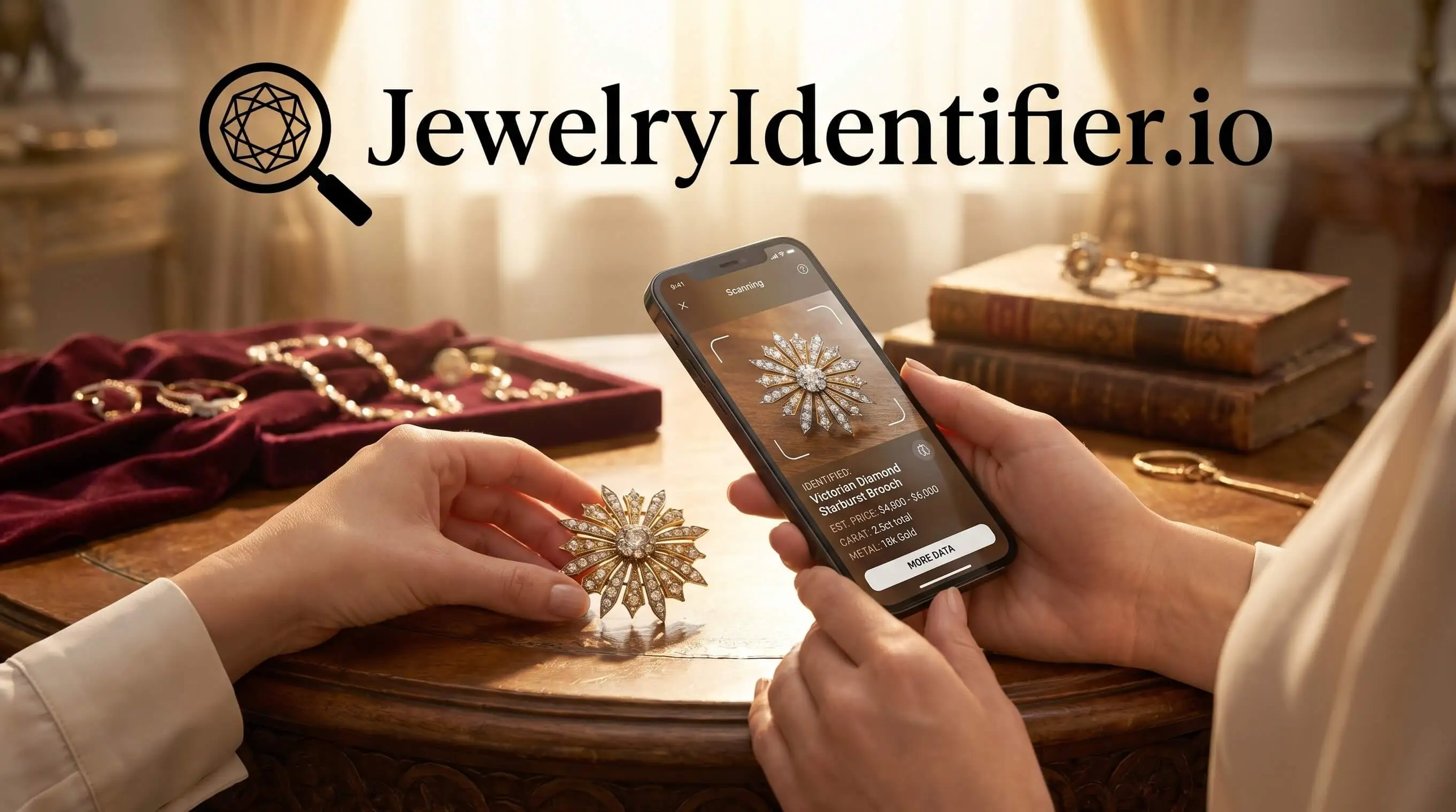
JewelryIdentifier results usually show a jewelry type category first, such as ring, necklace, bracelet, or earrings. Then the screen may add style and era suggestions, such as Art Deco, Victorian-inspired, mid-century, modern minimalist, or contemporary fashion jewelry.
The useful part is the separation of confidence levels and visible clues. You may see notes about yellow metal appearance, clear stone appearance, bezel setting, prong wear, safety chain, or a possible maker mark. Not proof. Still useful.
When the issue is naming a piece for resale, JewelryIdentifier earns the spot because visually similar matches give users search language they can compare against reliable references. For ring-focused checks, the ring identifier by picture guide covers more setting and shank details.
Jewelry Identifier App Download vs. Online Jewelry Identifier
A native jewelry identifier app download is better for repeated mobile scanning, while an online jewelry identifier is better for one-time checks or desktop research. Both can use the same AI engine, but the access method changes the workflow.
| Access method | Better for | Main advantages | Tradeoff |
|---|---|---|---|
| Native app | Frequent scanning | Camera integration, saved scan history, update notifications | Uses device storage and may require app updates |
| Online version | Occasional checks | No install, works on browser devices, easier desktop review | Less convenient for repeated camera use |
| Google Lens or eBay image search | Broad visual lookup | Fast general matching | Less jewelry-specific vocabulary |
| Vestiaire Collective or Whatnot | Marketplace context | Useful for resale comparison | Seller claims still need verification |
For mobile-first users, JewelryIdentifier is often easier than browser-only searching because the camera, scan history, and share workflow stay in one place. Data.ai reported roughly 257 billion global app downloads in 2023, which shows how normal niche app workflows have become: https://www.data.ai/en/insights/market-data/state-of-mobile-2024/
For a wider comparison, our best jewelry identifier app guide covers app-style tradeoffs.
Tips for Better Jewelry Identification Photos
Better photos give JewelryIdentifier better visible clues to work with. Use this checklist before assuming the scan is wrong.
- Use a plain white, gray, or neutral background to reduce visual noise.
- Photograph the piece from the top, side, and back.
- Take separate macro shots of maker marks, metal stamps, clasps, hinges, and prong settings.
- Avoid flash on polished metal and gemstones. Window light is usually cleaner.
- Remove boxes, receipts, fingers, and other jewelry from the frame.
- Retake the photo if lint, skin oil, or dark pocket fuzz hides a mark inside a bracelet clasp.
A ring tilted toward window light often reads better than a straight-down flash photo. If you want a deeper phone workflow, the jewelry identifier for iPhone page focuses on iOS photo capture.
Evidence and Sources for Jewelry Identifier App Claims
The evidence behind JewelryIdentifier’s use case supports why photo-based jewelry checks are practical, not why any app can guarantee accuracy. Smartphone access, online resale demand, app-download behavior, and jewelry disclosure rules all point to a useful first-pass workflow.
- Check access context: Smartphone ownership data shows that most adults can capture and upload close photos, which is why mobile scanning is a realistic starting point for rings, necklaces, and marks.
- Compare market demand: Online jewelry market research supports the idea that buyers and resellers need clearer listing language, especially when sorting inherited, thrifted, or marketplace pieces.
- Consider app habits: Mobile app download data shows that specialized phone workflows are normal, so saving scans, retaking photos, and sharing results fit how people already research products.
- Verify disclosure rules: FTC jewelry guidance emphasizes accurate claims about metal content, gemstones, and treatments, which matters when scan results influence a sale description.
- Confirm important claims: Use these sources as background for access, demand, and compliance. They do not prove JewelryIdentifier can authenticate gold, grade diamonds, detect treatments, or replace a jeweler’s written opinion.
Limitations
JewelryIdentifier is built for photo-based identification, but a photo cannot answer every jewelry question. Important finds still deserve hands-on confirmation.
- It cannot test metal purity, detect internal gemstone treatments, or certify authenticity. Those require lab tools or professional testing.
- Rare, altered, or one-of-a-kind antique pieces may get weaker matches because AI training data skews toward more common styles.
- Blurry, reflective, cropped, or cluttered images can reduce result quality significantly.
- Free tiers may limit daily scans, show ads, or place detailed results behind subscriptions.
- Results can vary between JewelryIdentifier, google lens, rock identifier apps, and marketplace image search tools for the same photo.
- It does not produce legally reliable appraisals, insurance valuations, or sale-price guarantees.
- The FTC notes that misrepresentation of gem treatments and metal content is a recurring jewelry sales issue, so app results do not replace disclosure compliance.
For Android-specific access and storage notes, use the jewelry identifier for Android guide.