
How To Identify Jewelry With Phone Photos
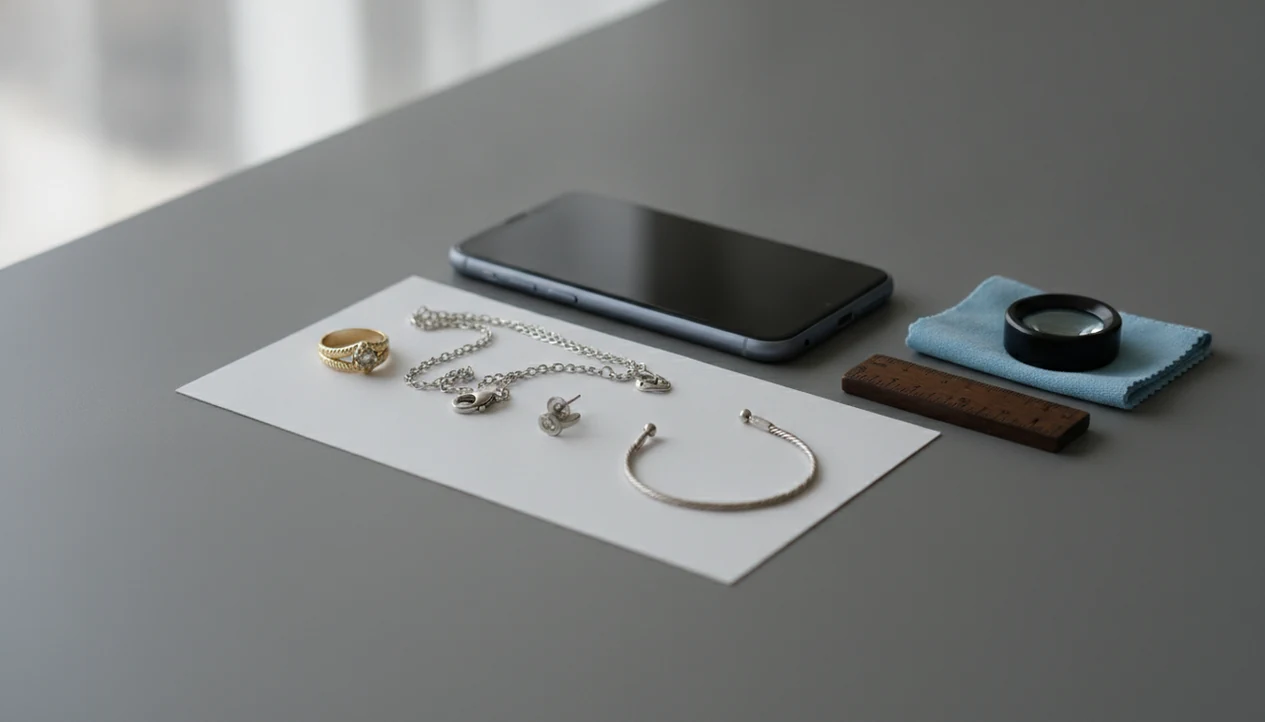


If you want to learn how to identify jewelry with phone photos, shoot the piece from several clear angles, capture any stamps or clasps, add a scale reference, and run the images through a jewelry identifier app for a preliminary match. Treat the result as a research starting point, not proof of metal purity, gemstone authenticity, or value.
JewelryIdentifier is a jewelry identifier app and photo guide that helps users identify rings, necklaces, earrings, bracelets, and vintage jewelry from pictures before deciding whether professional testing or appraisal is needed.
- Take front, back, side, clasp, hallmark, stone, and scale photos before using any jewelry identifier app.
- Phone-based jewelry identification can suggest type, style, era, visible materials, and comparable pieces, but it cannot certify gold, diamonds, gemstones, or appraisal value.
- Save the app result, your best photos, measurements, and any visible marks so a jeweler, appraiser, buyer, or resale platform can review the piece more reliably.
What Phone Jewelry Identification Can And Cannot Tell You
Phone jewelry identification means using camera photos and visual matching to estimate a likely category, style term, visible material, maker mark, era clue, or similar item. It is a structured first pass, not hands-on confirmation.
A phone can help with inherited jewelry, thrift finds, estate boxes, resale listings, vintage pieces, and unknown rings, necklaces, earrings, or bracelets. We have tried reading a tiny 14K stamp inside a yellow-gold ring under thrift-store fluorescent lights; the phone helped enlarge the mark, but it did not test the metal.
No camera can perform gold purity testing, detect plating layers, verify gemstone origin, prove a diamond is natural, or assign insurance value. Good jewelry identifier app and photo guides that help users identify rings, necklaces, earrings, bracelets, and vintage jewelry from pictures deliver vocabulary and next-detail checks, not appraisal certificates.
Five Facts About Identifying Jewelry With A Phone Camera
- Clear photos matter more than the app choice for most first-pass identification. A sharp clasp photo beats a blurry full-piece shot.
- Multiple views beat one attractive product-style photo. Front, back, side, and mark images give the system more visible clues.
- Hallmarks, clasps, backs, undersides, and settings are often more useful than the front view alone. The pretty side can hide the evidence.
- AI results are educated guesses. Cross-check them against stamps, construction, known weight, visible repairs, and expert review when stakes are high.
- Worn, vintage, repaired, plated, or custom jewelry can be misread. Photograph solder seams, missing stones, bent prongs, replaced clasps, and scratches before judging the result.
For a ring, a ring identifier by picture works better when the inner band and side profile are photographed separately.
Jewelry Photo Checklist Before You Scan With A Phone
A useful jewelry photo checklist includes the whole piece, the evidence areas, and one scale view. Before scanning, take photos of the front, back, side profile, clasp, chain links, setting, stone close-up, hallmark or stamp, maker mark, damage, repairs, and a ruler or coin for scale.
Use natural indirect light, a plain matte background, a wiped lens, tap-to-focus, and no direct flash glare. Phone photos where the clasp is in focus but the pendant front is blown out by flash usually need a second pass.
Ring, Necklace, Earring, And Bracelet Views
Rings need top, side, gallery, prong, and inner-band shots. Necklaces and bracelets need clasp, end tab, chain pattern, charm, and length photos. Earrings need front, back, post, clip, screw-back, and pair-symmetry images. Brooches, watches, and vintage pieces need hinge, pin, engraving, and repair details.
Privacy-Safe Jewelry Photo Crops
Crop out faces, addresses, receipts, family papers, prescription bottles, and location clues. Tiny background details travel farther than people expect.
How Phone Jewelry Identification Works Behind The Camera
Phone jewelry identification works by turning your photos into visual signals, then comparing those signals with patterns from other jewelry images. The system may analyze image embeddings, which are numeric summaries of visible features such as outline, texture, stone layout, and clasp shape.
The flow is usually simple: capture an image, upload it or process it on-device, detect features, compare them visually, then return ranked possible matches. It may weigh silhouette, metal color, hallmark text, setting style, chain pattern, construction, and stone arrangement.
Visual inference is not chemical testing. It cannot replace XRF metal analysis, gemological grading, diamond testing, or appraisal. A 2024 PYMNTS Intelligence consumer study reported that 46% of U.S. shoppers used smartphones to research or compare prices while inside physical stores (https://www.pymnts.com/study/global-digital-shopping-index-us-edition-2024/), so phone-based product research is now ordinary behavior. Jewelry just needs better close-ups than most products.
Tools like JewelryIdentifier can fit this first-pass workflow when the photos show enough detail.
How To Use A Jewelry Identifier App With Phone Photos
Use a jewelry identifier app as a documentation tool first and a matching tool second. For people sorting an inheritance box, phone photos are often easier than memory because each mark, clasp, and measurement stays attached to the item.
- Clean the phone lens and remove loose dust from the jewelry with a soft cloth.
- Set the piece on a plain matte background near indirect window light.
- Photograph the checklist views: front, back, side, clasp, setting, stone, mark, damage, and scale.
- Crop for privacy and submit hallmark photos separately if the app allows multiple images.
- Upload the clearest images, not every photo from the camera roll.
- Review and save the app result, screenshots, measurements, notes, and uncertainty flags for later verification.
If you are comparing options, a free jewelry identifier app can be enough for vocabulary and sorting before you pay for any professional review.
How To Photograph Jewelry For Identification By Item Type
How do you photograph jewelry for identification by item type? Match the photos to the construction of the piece, because rings, necklaces, earrings, bracelets, and vintage brooches hide useful clues in different places.
Ring Photos For Identification
For rings, photograph the top, side profile, inner band, prongs, gallery, and any 10K, 14K, 18K, 925, PT, maker, or patent marks. Tilt the ring until the stamp catches light, then tap the mark on the screen.
Necklace, Bracelet, And Earring Photos
For necklaces and bracelets, photograph the clasp, end tabs, chain pattern, solder seams, charms, links, and length beside a ruler. Lint, skin oil, and dark pocket fuzz can hide a mark inside a bracelet clasp, so check before you shoot. For earrings, capture fronts, backs, posts, clips, screw backs, hallmarks, pair symmetry, and missing stones.
Vintage Jewelry Photo Details
For vintage jewelry, photograph patina, repairs, replaced stones, hinge mechanisms, old clasps, engraving, and worn marks without over-polishing. Don’t erase the clue.
How To Interpret Jewelry Identifier Results From Phone Photos
Jewelry identifier results from phone photos should be read as probability language. Common labels include jewelry type, style period, possible metal, visible stone type, design family, maker mark guess, and similar listings.
Compare every result against visible evidence. Check stamps, construction, weight if you have it, magnet response if already known, clasp type, solder seams, and stone setting. A result that says “likely Victorian-style brooch” is different from “Victorian brooch,” especially if the pin hardware looks modern.
Words such as likely, possible, similar, and visual match mean the system is making a comparison, not issuing proof. Grand View Research estimated the global online jewelry market at USD 76.06 billion in 2022 and projected continued growth through 2030 (https://www.grandviewresearch.com/industry-analysis/online-jewelry-market-report), so image-driven comparison matters; still, listing prices are not appraisals.
For resale prep, use results to write better descriptions. “I just need to know what to call this before I list it” is a valid use case.
Verification Steps After You Identify Jewelry With Phone Photos
After phone identification, create a simple record before the details scatter. Include photos, app result, date, measurements, weight if available, visible marks, questions, and any uncertainty flags.
Then cross-check similar pieces on resale marketplaces, museum archives, maker mark databases, and brand references. Do not assume identical value. Condition, brand, metal weight, stone quality, provenance, and sold prices can change the answer quickly.
Professional verification is the safer next step for valuable, inherited, insured, diamond, colored gemstone, antique, or disputed pieces. Objective checks may include jeweler inspection, hallmark verification, acid testing, XRF metal analysis, refractometer readings, diamond tester results, or a gem lab report.
The U.S. Bureau of Labor Statistics projects employment of jewelers and precious stone and metal workers to decline 6% from 2022 to 2032 (https://www.bls.gov/ooh/production/jewelers-and-precious-stone-and-metal-workers.htm), which makes organized documentation useful before contacting an in-person expert. For platform choice, a best jewelry identifier app guide can help you compare photo workflows.
Common Mistakes When Identifying Jewelry With Phone Photos
The most common mistake is treating one beautiful photo as enough evidence. Jewelry identification works better when the phone captures the hidden parts: marks, backs, clasps, settings, repairs, wear, and scale.
- Photograph the evidence areas separately instead of relying on a single front view. A pendant face may show the style, but the bail, back, chain tab, or clasp may explain what it actually is.
- Control glare before you scan. Shift the piece, turn off direct flash, and use angled indirect light so hallmarks, prongs, stone settings, and clasp stamps stay readable.
- Treat stamped marks as clues, not proof. A 14K, 925, brand, or maker stamp can be copied, worn, repaired around, or attached to a plated or altered part.
- Leave context in at least one photo. Include scale, chain length, backs, hinge hardware, clasp style, solder seams, repairs, and missing-stone areas before cropping tight details.
- Document vintage condition before polishing. Patina, softened edges, old wear, construction methods, and darkened recesses can help date a piece, while aggressive cleaning can erase useful clues.
Limitations
Phone-based jewelry identification has real limits. Keep these boundaries visible, especially before selling, insuring, dividing, or cleaning a piece.
- Phone photos cannot prove solid gold versus gold-filled, vermeil, plated, or base metal.
- Phone photos cannot prove natural diamond, lab-grown diamond, simulant status, gemstone treatment, or geographic origin.
- Worn hallmarks, tiny marks, glare, tarnish, repairs, and custom designs can cause wrong matches.
- Value, insurance documentation, estate division, and high-stakes selling require professional appraisal or gemological testing.
- Marketplace comparisons can mislead because condition, brand, metal weight, stone quality, provenance, and sold prices differ.
- Do not share photos showing personal documents, faces, addresses, receipts, or location metadata when asking online communities.
- Heavy polishing before documentation can remove patina or obscure vintage construction clues.
- A magnet test, if already performed, can be a clue, but it does not prove purity by itself.
Kitchen-table sorting piles help: likely gold, likely silver, costume, sentimental, and take-to-a-jeweler.
FAQ
Can my phone identify jewelry?
Yes, a phone can provide preliminary visual identification when paired with clear photos and a jewelry identifier app. It can suggest type, style, visible marks, and similar items, but not authenticate value.
What photos identify jewelry best?
The most useful photos show the front, back, side, hallmark, clasp, stone setting, and scale reference. Take several distances and close-ups rather than one polished product-style image.
Can a phone identify gold?
A phone can read visible stamps such as 10K, 14K, 18K, or 925 and notice color clues. It cannot prove gold purity, plating, or metal content from a photo alone.
Can a phone identify diamonds?
No camera tool can confirm whether a stone is natural diamond, lab-grown diamond, or a simulant. Diamond verification requires appropriate testing or gemological review.
How do I photograph hallmarks?
Use indirect light from an angle, tap to focus on the mark, and crop tightly after taking the photo. Try several shots because tiny stamps often blur or reflect glare.
What background is best for jewelry photos?
Use a plain matte background, such as white paper, gray card, or dark cloth for pale metal. Avoid shiny counters, patterned fabric, and direct flash.
Should I clean jewelry before photographing it?
Remove loose dust gently with a soft cloth before photographing. Do not polish vintage jewelry heavily before documenting patina, marks, repairs, and construction.
Can apps identify vintage jewelry?
Apps can help identify visible style terms, clasp types, construction clues, and similar vintage designs. They may misread worn, repaired, or altered pieces.
Are jewelry identifier apps accurate?
Accuracy depends on photo quality, visible marks, item condition, and whether similar examples exist in the comparison database. JewelryIdentifier can be useful for first-pass sorting, but professional verification is needed for value or authenticity.
When should I ask a jeweler to verify jewelry?
Ask a jeweler, appraiser, or gemologist to verify valuable pieces, gemstones, insurance items, inherited jewelry, or anything you plan to sell. Use saved phone photos and app notes to make that review easier.
Identify Jewelry From Phone Photos
Upload clear photos of rings, necklaces, stamps, clasps, and vintage details to get fast visual identification clues. Use Jewelry Identifier as a first step, then verify important pieces with a professional before buying, selling, or insuring.