


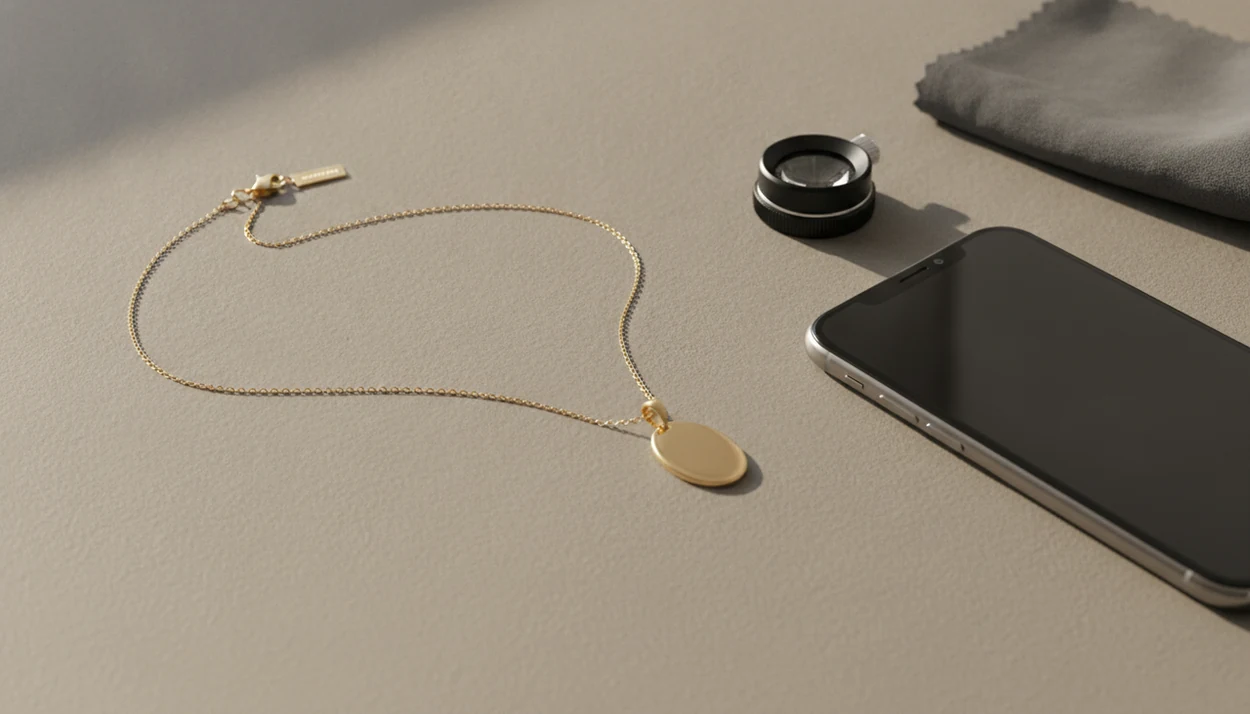
JewelryIdentifier is built for this exact task: you upload a necklace photo, compare AI-suggested style clues, and use the result as a starting point before checking hallmarks, materials, and value. It is most useful when you need vocabulary for an unknown necklace, such as chain type, pendant shape, metal color, or visible stone style.
Finding a necklace by picture means using an AI-powered visual search tool to upload a photo of a necklace and receive automated identification of its style, metal, gemstones, and visually similar pieces available for purchase.
- AI jewelry identifier apps match your necklace photo to similar styles, metals, and gemstones in seconds.
- Photo quality, sharp focus, good lighting, multiple angles, is the single biggest factor in accuracy.
- Visual search returns similar-looking necklaces, not guaranteed exact matches, so always verify with hallmarks or a jeweler for valuable pieces.
At a Glance: Necklace Picture Search in 5 Key Facts
- AI-powered necklace search tools compare your photo with large image libraries, then rank pieces that look similar.
- Photo quality directly affects the result; a clasp in focus but a blown-out pendant front can confuse the match.
- Most tools estimate visible clues such as style term, metal color, gemstone appearance, pendant shape, and chain pattern.
- Best results usually come from modern, commercially available necklaces because those designs appear more often in catalogs.
- For valuable items, combine AI results with metal stamps, maker marks, provenance, and hands-on confirmation.
For resellers, photo-based search is often faster than typing guesses because the necklace shape does the first round of matching. For a no-cost starting point, see our free necklace finder by photo guide. Still, the next detail to check is physical. A tiny stamp near the clasp can matter more than a dozen look-alike listings.
What JewelryIdentifier Does for Necklace Photo Search
JewelryIdentifier helps turn a necklace photo into practical search clues. You upload the image, then use the AI-assisted result to compare likely visual matches and name the piece more accurately.
The output is meant to describe what can be seen: a possible style term, chain type, pendant shape, and metal color. It may suggest language such as box chain, locket pendant, station necklace, silver-tone, or yellow-gold color, depending on the photo. These are likely matches, not authentication, appraisal, gemstone testing, or proof of brand.
- Upload a clear front photo of the full necklace on a plain background.
- Review the suggested style, chain, pendant, and metal-color clues.
- Add close-ups of the clasp, hallmark, and pendant back when stamps, maker marks, or construction details may change the result.
- Compare the visual match with your own notes, receipts, and any physical markings.
- Use the same workflow when sorting necklaces alongside rings, bracelets, earrings, and vintage jewelry.
That mix of broad matching and small-detail checking keeps the result useful without making it sound more certain than a photo can support.
AI Necklace Identification: Computer Vision Matching Process
AI necklace identification works by converting a photo into visual features, then comparing those features with known jewelry images. Deep learning models look for patterns such as chain links, pendant outline, stone color, surface texture, and metal tone.
The technical term is image embedding. In plain language, the system turns the necklace photo into a searchable fingerprint of visible details. For context, the ResNet-152 model reported a 3.57% top-5 error rate on the ImageNet validation set, showing how trained image models can rank similar objects at scale when the image library is strong (https://arxiv.org/abs/1512.03385).
That does not mean the necklace is confirmed. Results rank by visual similarity, not tested identity. A moon pendant in yellow metal may match a catalog piece, but the app still cannot prove it is solid gold, plated brass, or a later copy.
Likely category first. Proof comes later.
Jewelry Identifier Steps for Necklace Photo Search
Use a necklace picture search as a sorting process, not a final appraisal. Tools like JewelryIdentifier can help name the likely category before you compare stamps, materials, and value.
- Capture or select a sharp, well-lit photo of the necklace on a plain background.
- Upload the image to a jewelry identifier app, JewelryIdentifier, Google Lens, eBay image search, or another visual search tool.
- Review AI results for style, metal color, gemstone appearance, chain type, and visually similar matches.
- Check for hallmarks, stamps, or engravings with a separate close-up of the clasp or pendant back.
- Verify high-value findings with a professional jeweler, assay office, or qualified appraiser.
We often see users pause at step four. Lint, skin oil, and dark pocket fuzz can hide a mark inside a bracelet or necklace clasp, so wipe gently before photographing. JewelryIdentifier jewelry identifier app and photo guides that help users identify rings, necklaces, earrings, bracelets, and vintage jewelry from pictures are best used for vocabulary, visual matching, and next-step checks—not certified authentication or resale pricing.
Photo Tips That Improve Necklace Picture Search Accuracy
Better necklace photos produce better visual matches because the system can read more visible clues. Use natural window light or diffused indoor light, and avoid direct flash on shiny metal or faceted stones.
Shoot the necklace in parts. Take one full front view, one pendant close-up, one clasp photo, one chain-link photo, and one image of any engraving or maker mark. Add a coin or ruler if size affects the style, such as a tiny station necklace versus a large pendant necklace.
A window helps. Glare hurts.
Do not rely on a single backlit photo from a listing draft. We have seen stone color shift from blue to black when the pendant sits against a bright window. If you use JewelryIdentifier jewelry identifier app and photo guides that help users identify rings, necklaces, earrings, bracelets, and vintage jewelry from pictures, the same rule applies: clear detail beats dramatic lighting.
Visual Similarity vs. True Necklace Identification
Visual search returns look-alikes ranked by appearance, not confirmed identical necklaces. A catalog match can share the same pendant shape and chain style but differ in metal, gemstone, maker, age, or construction quality.
This distinction matters when you are sorting an inheritance box or preparing a resale listing. A gold-tone heart pendant may resemble a branded piece online, but a missing maker mark changes the claim you can safely make. “Looks similar to” is not the same as “made by.”
For online sellers, visual matching is useful for finding the right style term because it narrows vague descriptions into searchable language. Try “paperclip chain,” “riviere necklace,” “box chain,” or “cabochon pendant” before claiming brand or material. Add provenance, receipts, hallmarks, and purchase history when available.
JewelryIdentifier vs Google Lens, eBay Image Search, and a Jeweler
Use JewelryIdentifier when you want necklace-specific wording and photo guidance, not just a page of similar shopping images. Use the other options when your goal is broader discovery, resale research, or physical verification.
- Choose JewelryIdentifier when you need help naming visible details: chain style, pendant shape, metal color, stone appearance, clasp clues, and better follow-up photos.
- Try Google Lens when you want a wide sweep of web pages, retailer images, and shopping look-alikes across many categories.
- Search with eBay image tools when you are preparing a resale listing and need comparable sold-item language, titles, and buyer-facing keywords.
- Visit a jeweler or appraiser when the necklace may be gold, platinum, diamond, designer-made, antique, or important enough to insure.
- Treat AI as a first pass for high-value or sentimental necklaces, then confirm metal content, authenticity, condition, and valuation in person.
That split keeps each tool in its lane. A photo can point you toward “serpentine chain with oval pendant,” but testing and valuation still need hands, instruments, and judgment.
Common Myths About Necklace Picture Search
Several necklace photo search myths lead to overconfident listings and disappointed buyers. The safest reading is simple: the tool suggests likely visual matches, then you verify the important claims.
Myth: AI always identifies the exact brand and model. Reality: most systems return visually similar pieces, especially when many brands use the same chain, clasp, or pendant shape.
Myth: AI recognition proves a necklace is genuine or high-value. Reality: photo tools cannot confirm authenticity, precious metal content, gemstone identity, or market value from an image alone.
Myth: any blurry photo will work. Reality: poor focus can turn a bezel-set cloudy glass pendant into a “gemstone necklace” guess that is too broad to use.
Myth: image search scans the entire internet. Reality: many tools search curated databases, retailer catalogs, or indexed image sets. Rare antique necklaces may not appear there at all.
Visual Search Growth Stats for Necklace Shopping
Visual search is now common shopping behavior, not a niche trick for jewelry collectors. A 2021 Nielsen survey found that 41% of U.S. consumers had used image search for shopping, and the share rose to 62% among Gen Z shoppers (https://www.nielsen.com/insights/2021/the-future-of-shopping-is-visual/).
Google has reported more than 10 billion Lens searches per month across categories, including product discovery such as fashion and jewelry (https://blog.google/products/search/google-lens-multisearch-near-me/). Gartner also reported that 62% of Gen Z and Millennial consumers wanted visual search more than any other new online shopping technology (https://www.gartner.com/en/newsroom/press-releases/2018-08-15-gartner-says-visual-and-voice-searches-are-accelerating-mobile-browser-and-search-engine-revenue-growth).
Retail investment follows that behavior. McKinsey estimated that AI and analytics in retail could create $400 billion to $800 billion in annual global value, including recommendation and personalization systems (https://www.mckinsey.com/industries/retail/our-insights/the-state-of-ai-in-retail-and-cpg). Necklace search fits that broader pattern: shoppers increasingly start with a picture when words are too vague.
Limitations
Photo-based necklace identification is useful, but it has hard limits. It should not be the sole basis for insurance, resale pricing, estate division, or authenticity claims.
- It cannot reliably authenticate luxury, designer, or vintage necklaces from a photo alone.
- It works best on contemporary mass-market designs, not one-of-a-kind artisan pieces.
- It may struggle with heavily worn necklaces, missing clasps, replaced chains, or damaged stones.
- It cannot confirm white gold versus silver, gold plate versus solid gold, or diamond versus moissanite from standard photos.
- Search databases are limited, so rare antique necklaces may return weak or unrelated matches.
- Uploaded photos may be stored or reviewed by third-party services; check each provider’s privacy policy.
- Results are probabilistic estimates, not certified appraisals.
Use the output as a first sorting pile: likely gold, likely silver, costume, sentimental, and take-to-a-jeweler. That kitchen-table split is often more honest than forcing a confident answer too early.
Find This Necklace / What Necklace Is This?
To answer “find this necklace” or “what necklace is this?”, describe the necklace in parts before searching for a match. Note the chain pattern and length, pendant outline, stone arrangement, clasp type, bail shape, metal color, and any visible hallmark or maker tag. A description such as “small oval locket on a fine box chain with spring-ring clasp” gives a photo tool and a manual search far more useful evidence than “gold necklace.”
Start with a clean photo of the entire necklace, then compare suggested results with close-ups of its distinctive details. Look for repeated features rather than trusting one similar pendant silhouette. If no logo, reference number, receipt, or other identifying record is present, treat the result as a likely style or product family and avoid claiming an exact maker, material, age, or value.
Exact Match Versus Similar Necklace
An exact necklace match should agree on more than the front-facing design. The chain links, clasp hardware, pendant back, bail, stone count, dimensions, construction seams, stamp placement, and maker mark should align with a reliable catalog, receipt, or documented listing. Small differences can mean a later edition, replacement chain, inspired design, unbranded copy, or simply another necklace built around a common motif.
A similar necklace result is still useful for learning style names, finding alternatives, or drafting a cautious resale description. Phrase the comparison as “similar to,” “in the style of,” or “possible match” unless the physical evidence supports a stronger claim. For designer, antique, or high-value pieces, professional authentication and material testing are more dependable than image similarity alone.
Photographing Chains, Clasps and Pendants
Lay the necklace in a natural oval on a plain matte background and take one overhead image showing the full length and proportions. Then photograph three to five chain links close enough to reveal their construction, the open and closed clasp, both sides of the pendant, and the bail where it joins the chain. Add a ruler beside the necklace in a separate frame so size can be assessed without covering details.
Use diffused daylight, steady support, and tap-to-focus on the jewelry rather than the background. Rotate reflective clasps and pendants through several angles to make shallow stamps readable, and avoid filters or direct flash that alter metal color and erase surface texture. Separate detail shots help an identifier distinguish chain type, clasp style, maker marks, repairs, and pendant construction.