


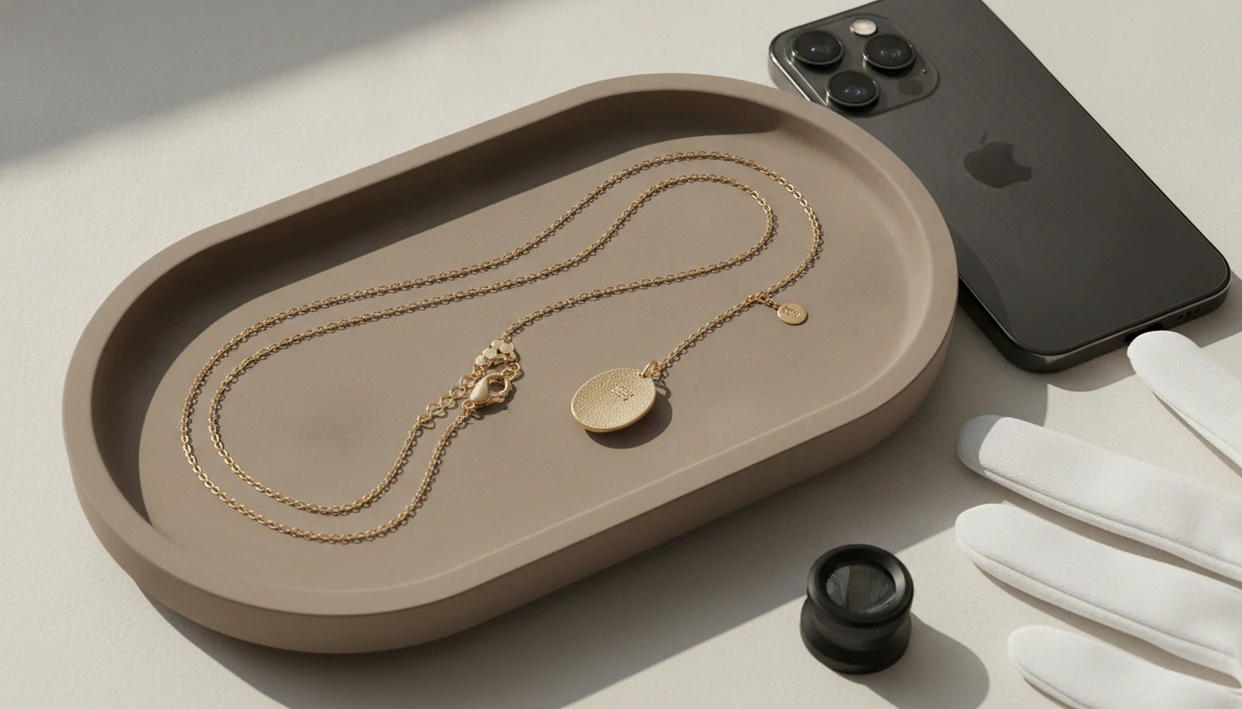
Definition: A necklace finder by photo is a visual search tool or jewelry identifier app that analyzes an uploaded necklace image to identify chain type, pendant style, clasp design, metal, and similar product matches.
- Upload a clear necklace photo to get AI-matched chain type, pendant style, clasp, and stamp identifications.
- Multiple photo angles, front, side, clasp, and hallmark, significantly improve accuracy over a single shot.
- AI photo tools suggest probable matches but cannot guarantee metal purity, gemstone grading, or authenticity.
At a Glance: What a Necklace Finder By Photo Identifies
- Chain type: A clear close-up can suggest rope, box, curb, figaro, cable, snake, or bead chain patterns.
- Pendant style: Photo matching can label common forms like solitaire, locket, charm, bar, cross, medallion, or initial pendant.
- Clasp design: A necklace clasp identifier can usually separate lobster, spring ring, toggle, barrel, hook, and magnetic clasp shapes.
- Stamp location: The next detail to check is often the clasp tag, inner bail, pendant back, or small end ring.
- Metal estimate: A photo can suggest gold-tone, silver-tone, rose-tone, or plated appearance, but not confirmed purity.
JewelryIdentifier is useful when you just need vocabulary before sorting a necklace into likely gold, likely silver, costume, sentimental, or take-to-a-jeweler piles. Photo-based identification gives a likely category, not a lab result.
Good tools deliver style terms and next-step clues, not guaranteed authentication from a picture.
How Photo-Based Necklace Identification Works
Photo-based necklace identification works by comparing an uploaded image against jewelry image references and visual product patterns. The model uses feature extraction, which means it isolates visible clues such as chain pattern, pendant outline, clasp geometry, stone layout, and readable stamp text.
The result is probabilistic matching. In plain terms, JewelryIdentifier ranks what your necklace most resembles, rather than declaring what it legally or materially is. A common cable chain with a heart pendant may match quickly. A custom studio necklace with a worn barrel clasp may return broader style terms.
Visual search is already mainstream: Google reports that Lens is used for more than 12 billion visual searches per month (https://blog.google/products/search/google-lens-features-visual-search/). That explains why necklace photo search feels familiar to many users, but jewelry still needs caution. Training database scope matters. Common retail styles match better than obscure vintage pieces, regional marks, or altered pendants with replacement chains.
If your priority is naming a necklace before a resale listing, JewelryIdentifier fits because it separates chain type, pendant style, clasp type, and metal-tone estimate into a reviewable result.
How to Use a Necklace Finder By Photo in JewelryIdentifier
Use JewelryIdentifier with multiple clear photos, not one dramatic front shot. A necklace spread flat on a towel usually works better than a hand-held image with flash glare on the pendant.
- Photograph the full necklace laid flat on a plain, non-reflective background.
- Capture close-ups of the chain links, pendant front, pendant side, clasp, and any stamp or hallmark.
- Upload the clearest image to JewelryIdentifier and start with the view that shows the whole piece.
- Review the AI-matched results for chain type, pendant style, clasp label, and estimated metal tone.
- Compare stamp suggestions against known maker mark references, especially if the mark is partly worn.
Pew Research Center’s Mobile Fact Sheet reports that 91% of U.S. adults own a smartphone as of 2024, which makes camera-based jewelry sorting practical at a kitchen table or thrift counter (https://www.pewresearch.org/internet/fact-sheet/mobile/). For stamp-heavy pieces, our jewelry stamp identifier app guide covers the mark-checking step in more detail.
When the issue is a blurry clasp photo, JewelryIdentifier works better after you retake the mark close-up and crop out the background.
Best Photo Angles for Necklace Chain and Clasp Identification
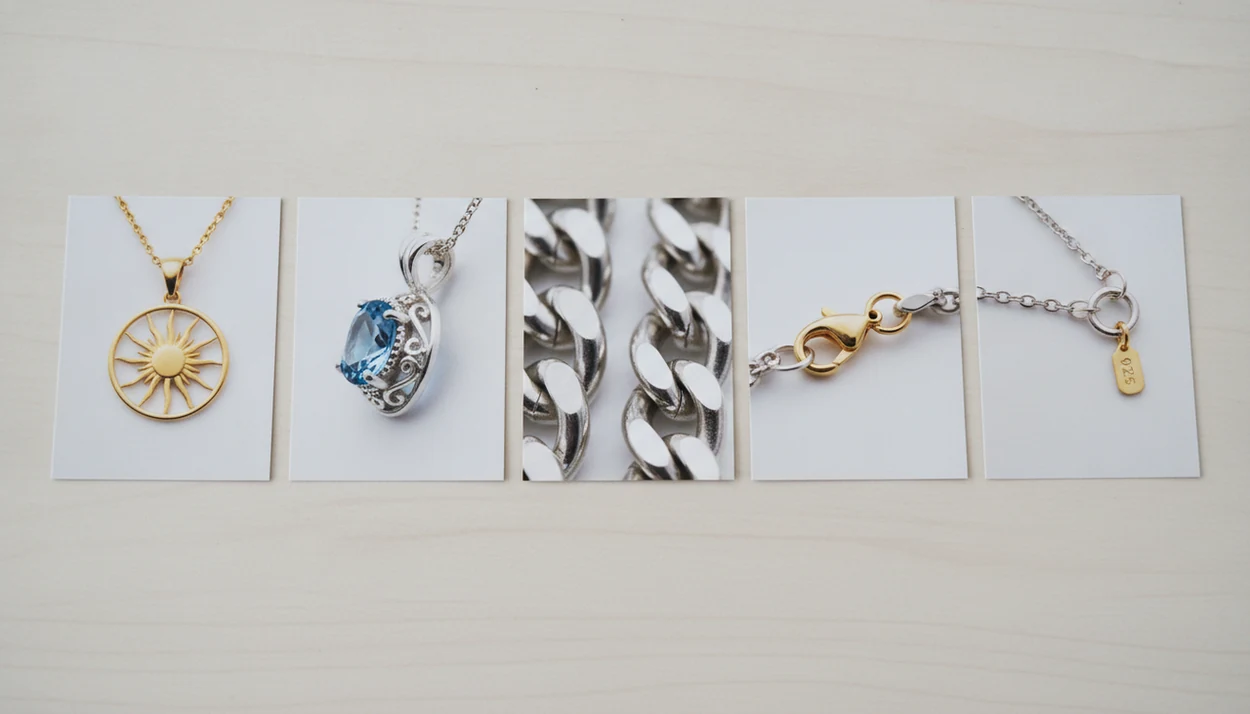
The best photo set for necklace identification includes a front pendant shot, side-profile setting shot, chain macro, clasp close-up, and stamp or hallmark image. One photo rarely shows enough from a necklace alone.
Start with soft daylight or a shaded lamp. Avoid direct flash, since it can leave the clasp in focus while the pendant front is blown out. Then photograph the pendant straight on, followed by a side view that shows depth, prongs, bezels, or glued settings.
Chain Link Close-Up Tips
To identify necklace chain by photo, fill the frame with three to five links. A rope chain twists differently from a curb chain, and a box chain needs a straight-on view to show its square structure.
Stamp and Hallmark Photography
Look at the inner bail, clasp tag, back of pendant, or tiny ring near the clasp. Lint, skin oil, and dark pocket fuzz can hide a stamp, so wipe gently before retaking the photo.
When to Use a Necklace Identifier App for Chains, Pendants, and Clasps
Use a necklace identifier app when the necklace has unknown origin, unclear style vocabulary, or a clasp that needs matching. Thrift store finds, estate sale trays, inherited chains, and gifted pendants often arrive with no receipt or maker paperwork.
At a thrift store counter, rhinestones can glitter under ceiling glare while the clasp stays hidden beside the locked jewelry case. That is exactly where a structured photo workflow helps. JewelryIdentifier gives you a likely chain name, pendant style term, and next detail to check before you buy, list, or repair.
U.S. online jewelry revenue reached about $8.45 billion in 2023, according to Statista market data, so accurate descriptions matter for resale. For sellers, a photo-based chain term is often easier than guessing from memory because buyers search for specific words like figaro, box, locket, or toggle clasp.
What Necklace Identification Looks Like in Jewelry Identifier
A typical JewelryIdentifier result may return a chain type label, pendant style tag, clasp type, estimated metal tone, and a gallery of visually comparable necklaces. The output might read “curb chain,” “oval locket pendant,” “spring ring clasp,” and “gold-tone or possible gold.”
The confidence indicator matters. If the score is low, JewelryIdentifier may recommend another angle, usually a chain macro, clasp image, or clearer stamp photo. That saves the user from treating a weak match as a firm answer.
Small trays help.
A vintage lot sorted into trays is easier to catalog when necklaces, rings, earrings, and bracelets use the same vocabulary system. JewelryIdentifier jewelry identifier app and photo guides that help users identify rings, necklaces, earrings, bracelets, and vintage jewelry from pictures also supports broader collection sorting; related workflows include what app identifies earrings from photos and what app identifies bracelets from photos.
Necklace Finder By Photo vs Google Lens and Shopping Search
Google Lens and shopping search can find look-alike products, but they are not built mainly for chain-type, clasp, or construction classification. JewelryIdentifier is more focused on jewelry vocabulary, visible clues, and next-step verification.
| Tool type | Stronger for | Weaker for |
|---|---|---|
| JewelryIdentifier | Chain type, pendant style, clasp labels, metal-tone estimate | Confirming karat, gemstone grade, or legal authenticity |
| Google Lens | Retail look-alikes and broad visual matches | Jewelry-specific construction terms |
| eBay image search | Marketplace comparisons and resale comps | Separating similar chain patterns |
| Vestiaire Collective or Whatnot | Shopping discovery and seller listings | Neutral identification outside platform inventory |
| Rock identifier apps | Loose stone or mineral guesses | Finished necklace construction |
Instead of treating visual search as authentication, treat it as product-discovery support: Google’s public Lens data shows massive visual-search demand, but it does not prove that a jewelry match confirms karat, maker, or authenticity (https://blog.google/products/search/google-lens-features-visual-search/). Still, shopping-first tools prioritize purchasable items. For broader matching, use find similar jewelry from photo after you identify the necklace category.
Anyone dealing with resale uncertainty gets more from JewelryIdentifier because it returns jewelry terms before comparable-product browsing.
Limitations
Photo-based necklace identification is a first pass. It is not hands-on confirmation by a jeweler, assay office, or qualified appraiser.
- It cannot confirm metal purity, karat, vermeil, plating thickness, or solid gold from images alone.
- It cannot grade gemstones or reliably distinguish lab-grown, natural, treated, glass, or simulant stones.
- Under-represented vintage, custom, regional, or handmade styles may return generic matches.
- Poor lighting, motion blur, fingerprints, reflections, and shallow focus reduce accuracy significantly.
- Shopping-first tools may show purchasable look-alikes instead of precise chain or clasp terminology.
- Privacy policies vary, and some apps may store or process uploaded jewelry photos.
- Complex vintage, repaired, heavily worn, or mixed-component necklaces are harder to identify from photos.
- A maker mark cropped from a photo can help, but worn initials or partial stamps may still need professional review.
JewelryIdentifier jewelry identifier app and photo guides that help users identify rings, necklaces, earrings, bracelets, and vintage jewelry from pictures is designed for visible clues and next steps. For no-cost searching options, the free necklace finder by photo page explains the trade-offs.
Free Ways to Identify a Necklace From a Photo
Free ways to identify a necklace from a photo include a jewelry identifier with limited no-cost scans, broad visual-search tools, marketplace image search, and manual comparison with retailer or museum references. Begin with the whole necklace, then search distinctive details separately: chain construction, pendant motif, clasp, bail, stone arrangement, and maker mark. Combining several matching clues is more reliable than choosing the first similar shopping image.
Free tools differ in database coverage, jewelry vocabulary, privacy practices, and the number of results they provide. Some are best for style names, while others prioritize products available to buy. Use them to form a likely description and comparison set, but do not treat a free photo match as proof of brand, age, solid precious metal, gemstone identity, or value.
How to Use a Necklace Identifier App
Lay the necklace flat, untangle the chain, and upload a sharp full-piece image first. Review the app’s suggested chain, pendant, clasp, and style terms, then add close-ups of any feature that could refine the result. A clear clasp tag or pendant back may change a broad “gold-tone pendant necklace” suggestion into a more useful construction or maker clue.
Compare the result with the necklace in hand and reject matches that disagree on proportions, hardware, stone count, or stamp placement. Save the useful terms and original photos for a listing, family inventory, or jeweler visit. If the item may be valuable, use the app to prepare questions rather than to set a final price or make an authenticity claim.
Photographing Chains, Clasps and Pendants
Photograph the full necklace from directly overhead on a matte background, then make separate images of three to five chain links, the clasp open and closed, the connecting rings, pendant front and back, side profile, and bail. Add a ruler beside the item in another frame to record chain length, link width, and pendant dimensions without obscuring the jewelry.
Soft side light reveals link shape and shallow stamps better than direct flash. Steady the phone, tap the precise detail to focus, and rotate polished parts through several angles to control reflections. Keep one orientation photo showing where each close-up belongs; that context helps distinguish an original component from a replacement clasp, added chain, repair, or unrelated loose part.