


> A ring identifier app is a mobile tool that uses AI image recognition to analyze photos of rings and return details about style, metal type, gemstone shape, setting design, and any visible hallmarks or stamps.
- Download on iOS or Android, and use the same app to identify necklaces, earrings, bracelets, and vintage jewelry.
- Photo quality matters more than app choice: use diffuse lighting, macro focus, and a neutral background.
- AI ring scanning gives fast style and setting guesses but is not a legal appraisal or gem certification.
At a Glance: Ring Identifier App Download Features
A ring identifier app download gives you fast visible-clue checks for ring style, setting type, stone shape, and readable band stamps. JewelryIdentifier jewelry identifier app and photo guides that help users identify rings, necklaces, earrings, bracelets, and vintage jewelry from pictures fits people who need vocabulary before sorting, listing, or asking a jeweler.
- Ring style detection can label common forms such as solitaire, halo, three-stone, eternity, cluster, and signet.
- Setting checks look for prong, bezel, pavé, channel, tension-style, and cathedral-like structures.
- Stone shape recognition can flag round, oval, emerald-cut, pear, marquise, cushion, and baguette-like outlines.
- Band stamp reading may surface visible karat marks, maker marks, and partial hallmarks, though lint inside a clasp or band can hide them.
- JewelryIdentifier also sits inside a broader jewelry workflow for necklaces, earrings, bracelets, and vintage pieces; Pew reported that 81% of U.S. adults own jewelry in 2024 source.
Tiny stamps are the usual bottleneck.
For ring-only practice, our ring identifier by picture guide explains which angles usually reveal the most useful clues.
AI Ring Identification Model and Photo Analysis Workflow
AI ring identification works by comparing your ring photo with learned visual patterns from labeled jewelry images. JewelryIdentifier uses photo-based identification to suggest a likely category, then points you toward the next detail to check.
- Deep-learning image classification uses training examples labeled by style term, setting type, stone outline, and visible mark type.
- The model looks for component zones: band, crown or setting, center stone, side stones, shank, engraving, and stamp area.
- Photos may upload to cloud servers for server-side inference, then results return in seconds on most normal connections.
- A published deep-learning gemstone-classification study reported over 94% test accuracy under controlled image conditions (Scientific Reports), but controlled datasets are cleaner than thrift-store counters.
- Real-world accuracy drops when flash blows out facets, motion blur smears prongs, or stones look alike, such as moissanite versus diamond.
If your priority is naming a ring before a resale listing, JewelryIdentifier fits because the result separates style, setting, stone shape, and stamp notes into a plain-language scan summary.
Good jewelry identifier app and photo guides deliver structured visible-clue language, not guaranteed authenticity, gem grading, or certified value.
6 Steps to Use the Ring Identifier App After Download
Does a ring scanner app download require special equipment? No. You need a phone camera, steady light, and enough patience to photograph the ring from the angles that actually show structure.
- Install JewelryIdentifier from the App Store or Google Play.
- Open JewelryIdentifier and select ring identification mode.
- Photograph the ring face-up, from the side profile, and inside the band under diffuse light.
- Upload or snap the photo and wait for AI analysis.
- Review the returned style, setting, stone shape, visible stamps, and caution notes.
- Save the ring to your collection or share the result for a second opinion.
Controlled jewelry photography guidance recommends diffused light to reduce harsh reflections and glare on polished metal and faceted stones (GIA photography tips). We have had better stamp photos by blocking a window reflection with a notebook than by adding brighter light.
People trying to say “I just need to know what to call this before I list it” can use JewelryIdentifier because the saved scan creates a short photo history with style and stamp fields.
Ring Photo Tips That Improve Identifier App Accuracy
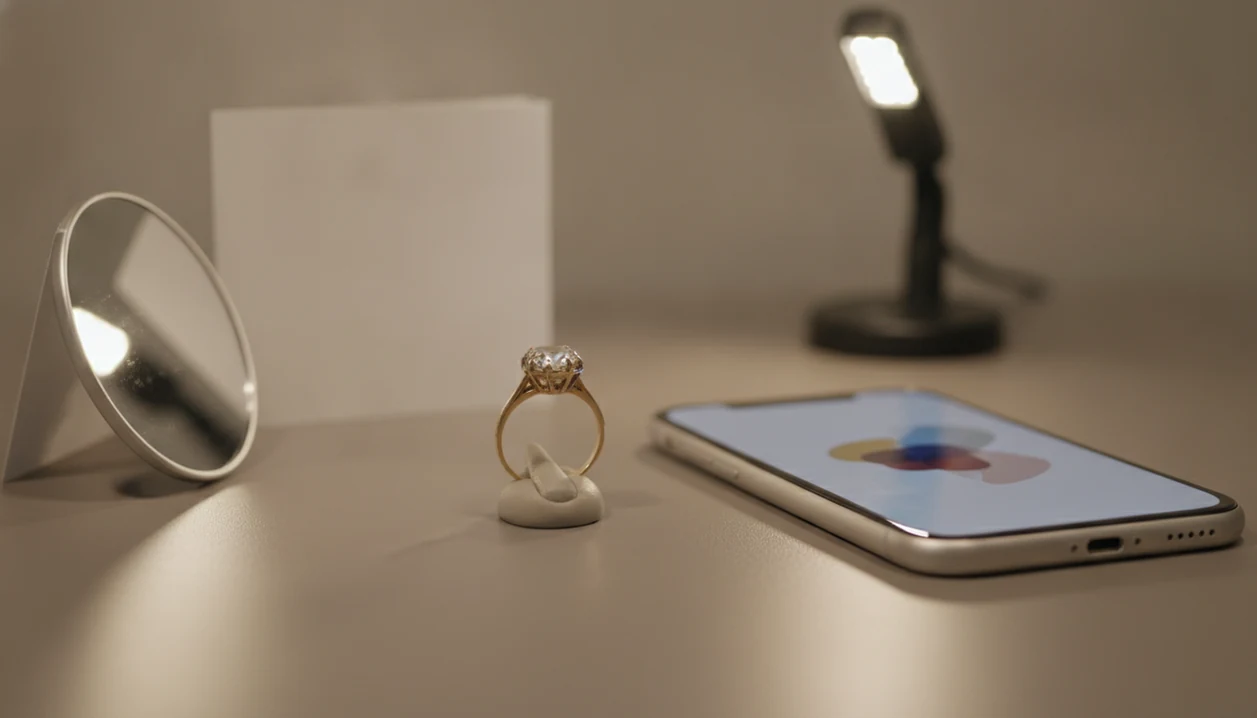
Photo quality usually affects ring identifier accuracy more than the brand of phone you use. The most useful setup is boring: indirect light, a neutral surface, close focus, and no beauty filters.
- Use diffuse or indirect lighting instead of direct flash, which can turn a gemstone into a white flare.
- Place the ring on white paper, gray felt, or another neutral non-reflective background.
- Enable macro or close-up focus mode before moving the phone closer.
- Capture at least three angles: face-up, side profile, and inner band.
- Avoid heavy filters and digital zoom because they distort metal color and stone edges.
Angles That Capture Ring Setting Details
A side profile of a ring setting often shows whether the stone sits in prongs, a bezel, or a raised basket. For more practice, the how to identify ring style with phone guide breaks down the same angle-by-angle routine.
Lighting Setup for Gemstone and Stamp Clarity
Use a lamp bounced off white paper or a shaded window. Controlled lighting can reduce glare by about 60%, and that can be the difference between “14K” and an unreadable yellow blur.
Estate Jewelry and Resale Use Cases for Ring Identifier App Downloads
Ring identifier app downloads are most useful when you need a sorting pass before money changes hands. JewelryIdentifier helps turn a mystery ring into a likely category, then leaves value and authenticity for hands-on confirmation.
- Estate boxes become easier to sort into likely gold, likely silver, costume, sentimental, and take-to-a-jeweler piles.
- Thrift-store and estate-sale checks can flag visible clues before you decide whether a ring deserves closer inspection.
- Pew found that 46% of Americans had bought or sold secondhand items online in 2022, which helps explain demand for photo-first ring checks (Pew Research Center).
- A quick scan can prepare better questions before visiting a jeweler for formal appraisal.
- Saved scans help catalog a personal collection with searchable photo history, especially before insurance or resale conversations.
The global online jewelry market is projected to reach about $117 billion by 2027, according to Statista. For resale photos, the find ring style from photo page covers wording that buyers actually recognize.
Ring Identifier App vs. Jeweler Appraisal and Hallmark Books
A ring identifier app is fastest for naming visible features, while a jeweler appraisal is the right path for value, metal testing, and gem verification. The best workflow is first-pass photo identification, then hands-on review for pieces that may be valuable.
| Method | What it does well | Main limitation | Typical use |
|---|---|---|---|
| JewelryIdentifier | Gives instant style, setting, stone-shape, and visible stamp notes | Not a legal appraisal or lab test | Sorting, listing prep, vocabulary |
| Professional jeweler appraisal | Confirms condition, materials, and value more reliably | Often costs $50 to $150+ per piece and requires a visit | Insurance, resale, inherited valuables |
| Google Lens or eBay image search | Finds visually similar rings for sale | Gives no structured component breakdown | Price browsing and comparison |
| Hallmark reference books | Can be thorough for stamps and maker marks | Slow, technical, and incomplete for worn marks | Researching readable marks |
For high-value rings, photo-based identification is often safer as a first step than guessing from online listings because it separates visible clues from unverified seller claims.
Privacy and Data Handling in Ring Scanner App Downloads
Many ring scanner app downloads upload photos to cloud servers so AI analysis can run remotely. Before using any identify ring app, check permissions, retention language, and whether images may be used for analytics or model improvement.
JewelryIdentifier should be evaluated by its current privacy policy, not by assumptions about all jewelry apps. Look for camera, photo library, and network permissions at install. If privacy is a concern, remove EXIF metadata before upload, crop out faces or addresses, and avoid photographing paperwork next to the ring. A yellowed appraisal slip beside bangles may be useful for your own records, but it does not need to be in the scan.
Compare against a reliable reference when data use matters.
Limitations
JewelryIdentifier is useful for visible clues, but it cannot replace testing, grading, or a qualified appraisal. These limits are important before you rely on any ring scanner app download.
- It cannot confirm whether a diamond is real; lab spectroscopy or professional gem testing is needed for that.
- Results are nonbinding estimates, not certified appraisals, insurance documents, or resale valuations.
- Strong reflections, motion blur, heavy filters, and flash glare can make results unreliable.
- Visually similar stones may be confused, including moissanite versus diamond or cubic zirconia versus white sapphire.
- Rare custom rings and very old vintage styles may have limited matching examples in training data.
- Most cloud-based AI inference requires an internet connection.
- A single blurry photo from far away is not enough from a photo alone.
- Rock identifier apps, Whatnot listings, and Vestiaire Collective searches may help with adjacent research, but they do not verify metal content.
The right fit for cautious sorting is JewelryIdentifier because the workflow keeps likely category, visible stamp, and “take to jeweler” notes separate.